 MidiAI Studio
Guide · MusicXML & score interchange
Turning a MIDI File Into Printable Sheet Music
MIDI and notation feel like two views of the same thing, but going from MIDI to a printed page is genuinely harder than the reverse. MIDI records a performance in raw time — this note started 12 milliseconds late and lasted an odd fraction of a beat — while notation demands tidy, human-readable rhythms. Bridging that gap is the whole job.
The temptation is to expect a MIDI file to simply become sheet music at the push of a button, and it can, but a naive conversion produces a page cluttered with thirty-second rests and unreadable tuplets. Getting a clean score means making deliberate choices about how loosely-timed performance data should be tidied into notation.
This guide covers those choices in order, from quantization to layout, so that a MIDI file — whether you recorded it or produced it in MidiAI Studio — comes out the other side as sheet music a musician can actually read at a stand.
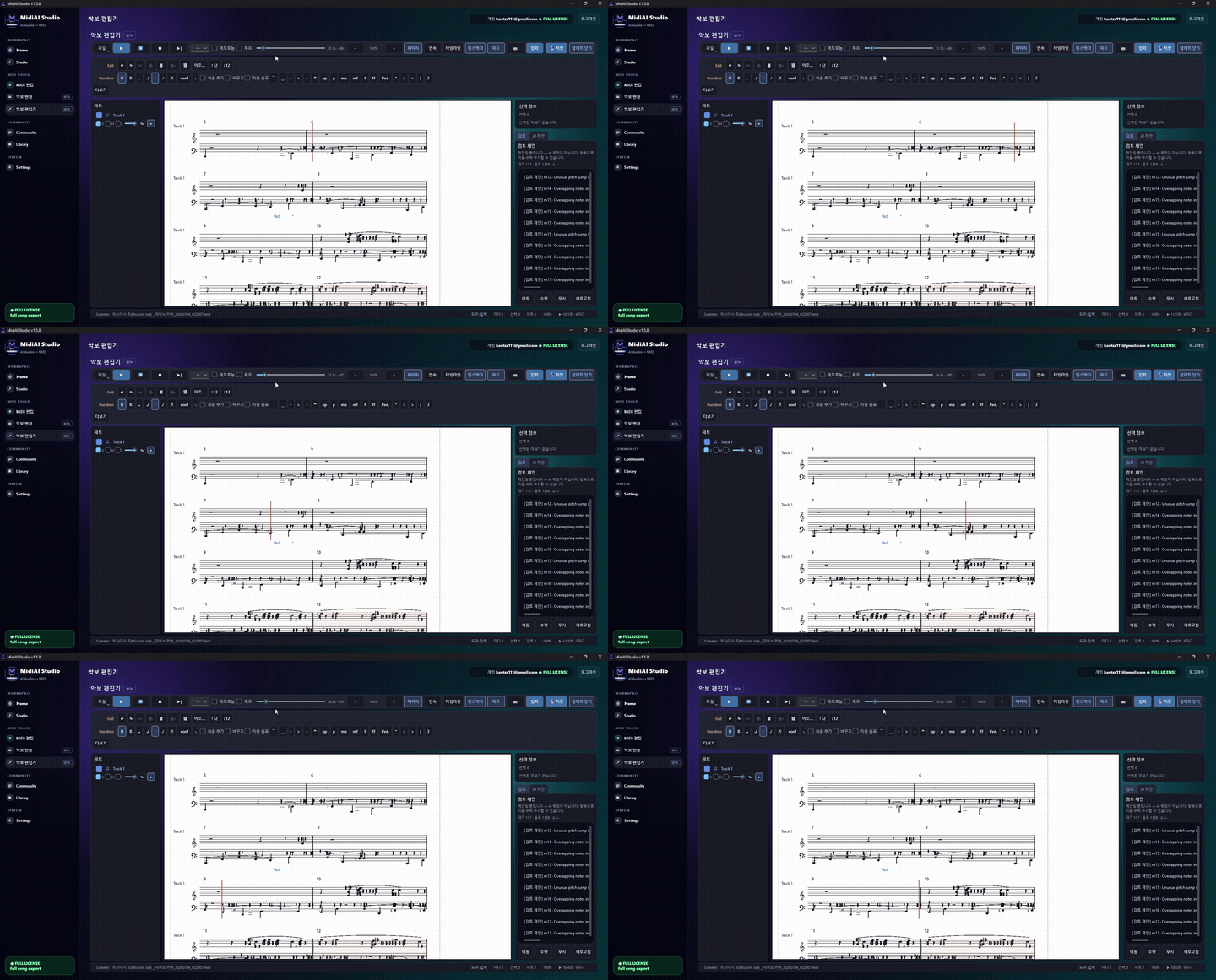
Why raw MIDI rarely prints as readable notation
Converting MIDI to PDF sheet music means interpreting timed performance events as notated rhythms and pitches, then engraving them onto staves and exporting a printable page. It is a translation from how music was played into how music is written.
The core challenge is that MIDI has no concept of a bar line, a key signature, or whether a black key is a G-sharp or an A-flat. All of that notational meaning must be inferred or supplied during conversion, which is why the same MIDI file can print several legitimately different ways.
Quantizing performance timing into notated rhythm
Quantization is the first and most consequential step. The engine snaps loosely-timed performance events onto a rhythmic grid — sixteenth notes, triplets, or finer — trading a little timing realism for a page you can read. Choose too coarse a grid and you lose real rhythms; too fine and the page fills with clutter.
Pitch spelling comes next, because MIDI note 61 is just a number that could be notated as C-sharp or D-flat. The engine uses the key signature and melodic context to pick the reading that a musician expects, so an ascending line spells sharps and a descending one may spell flats. MidiAI Studio makes these enharmonic decisions so the resulting accidentals look natural rather than arbitrary.
Then structure is imposed: a single MIDI track is split across treble and bass staves by pitch, simultaneous notes are grouped into chords, and overlapping lines are separated into voices with independent stems. Only after all that does layout happen — beaming, rests, and the spacing that turns correct notation into a legible one.
Choosing enharmonic spellings that read correctly
Printing a recorded piano improvisation in D minor
Imagine a loose, rubato piano improvisation you recorded to MIDI in D minor at a nominal 76 BPM, full of expressive timing that made it feel alive. Printed literally, it would be a nightmare of dotted-thirty-second rests and un-notatable syncopations.
Running it through MidiAI Studio with a sixteenth-note grid and swing awareness tidies the rhythm into something readable while keeping the phrasing recognizable. The engine splits the two hands across a grand staff, spells the raised leading tone as C-sharp rather than D-flat, and beams the running passages sensibly.
A short cleanup follows — you widen a couple of measures per line for a busy passage and confirm one triplet grouping — and the improvisation prints as a page a pianist could sight-read, without erasing the character of the original take.

Splitting a track into treble and bass staves
- Pick a quantization grid that matches the music. Choose the finest rhythmic value the piece actually uses — often sixteenths, sometimes triplets — as your grid. Matching the grid to the material tidies timing without flattening genuine rhythms.
- Set the key and meter before spelling notes. Supply the correct key and time signature up front. They guide enharmonic spelling and bar placement, so setting them first prevents a page full of wrongly-spelled accidentals.
- Split hands or parts onto separate staves. Assign a pitch split point or use voice data to place material on treble and bass staves. Clean staff assignment is what makes a two-handed part readable rather than a single overloaded line.
- Resolve chords and overlapping voices. Group simultaneous notes into chords and separate genuinely independent lines into voices with their own stems. This is what stops a dense passage from becoming an unreadable stack.
- Do a legibility layout pass. Adjust measures per line, beaming, and page turns so a performer can read ahead. Correct notation is not the same as comfortable notation, and this pass closes that gap.
Assigning voices so chords notate cleanly
- Clean obvious timing outliers in the MIDI before quantizing so the grid has an easier target.
- Prefer the coarsest grid that still captures the real rhythms to keep the page uncluttered.
- Set a sensible split point for hands rather than accepting a default that strands notes.
- Confirm enharmonic spelling in chromatic passages where the automatic choice is least certain.
- Print a test page and read it at a stand before committing to the final layout.
Adding time and key signatures MIDI never stored
- Over-quantizing expressive timing: Snapping everything to a coarse grid erases the rhythms that made the performance musical.
- Skipping the key signature: Without a key, spelling defaults produce awkward accidentals that make the page hard to read.
- Leaving both hands on one staff: A single overloaded staff turns readable piano writing into an illegible pile of ledger lines.
- Ignoring voice separation in chords: Merged voices produce nonsensical stems and rests that no performer can parse at speed.
- Printing without a layout pass: Technically correct notation still fails at the stand if the spacing and page turns fight the reader.
Beaming and rest placement for a legible page
The counterintuitive truth of MIDI-to-notation is that a perfect performance makes a worse-looking page than a quantized one. Human timing is what makes music feel alive and what makes it un-notatable, so every conversion is a negotiation between fidelity to the take and readability on the stand.
This is why quantization is an editorial act, not a mechanical one. Deciding that a passage is really straight sixteenths rather than a swung triplet feel is a musical judgment, and the best results come when you tell the engine what the music is rather than hoping it guesses. MidiAI Studio gives you that grid control precisely because there is no universally correct answer.
Final layout: measures per line and page turns
Notation also demands information MIDI never stored. A file has no idea it is in D minor or in four-four; those are frames you impose to make the numbers meaningful. Supplying them thoughtfully up front prevents a cascade of downstream oddities in spelling and barring.
Ultimately, printing from MIDI rewards treating the output as a first engraving rather than a finished score. Expect to do a legibility pass, expect to make a few editorial calls, and the reward is a clean, playable page produced in minutes from data that started life as pure performance.
FAQ
Straight answers for musicians researching MIDI to PDF sheet music. Expand any question—answers stay on this page so you do not bounce away mid-read.
Why does my MIDI file print with so many tiny rests and odd rhythms?
Because raw MIDI stores exact performance timing, not tidy notation. Quantizing to an appropriate grid before engraving converts those messy durations into the rounded rhythms a reader expects.
How does the converter decide between sharps and flats when printing MIDI?
It uses the key signature and melodic direction to pick the enharmonic spelling a musician would anticipate. Setting the correct key first is the biggest factor in getting readable accidentals.
Can a single MIDI track become a proper two-staff piano part?
Yes, by splitting notes across treble and bass staves at a pitch boundary or by voice. Choosing a sensible split point is what turns one crowded staff into a readable grand staff.
Will MIDI-to-PDF keep the exact feel of my recorded performance?
It keeps the notes and approximate phrasing, but quantization necessarily rounds expressive timing so the page stays readable. You trade a little literal accuracy for legibility.
Do I need to add time and key signatures myself for MIDI-to-PDF?
Often yes, because MIDI does not reliably store them. Supplying the meter and key before conversion lets the engine bar the music correctly and spell notes sensibly.