 MidiAI Studio
Guide �� MusicXML & score interchange
What MusicXML Is and Why It Matters
Musicians keep bumping into MusicXML without ever being told what it is. It shows up as an export option, an import filter, a file someone emailed ? always adjacent to the music, never quite explained. This article fixes that, because understanding MusicXML makes a surprising number of workflow decisions obvious.
The short version is that MusicXML is how notation programs talk to each other. Before it existed, a score made in one program was trapped there; MusicXML is the shared language that set scores free to move between applications, and that portability is why it underpins so many conversion tools.
Once you grasp what MusicXML stores and why, choices like whether to export MIDI or MusicXML from MidiAI Studio stop being guesses and become straightforward. This is the conceptual foundation the rest of the notation workflow rests on.
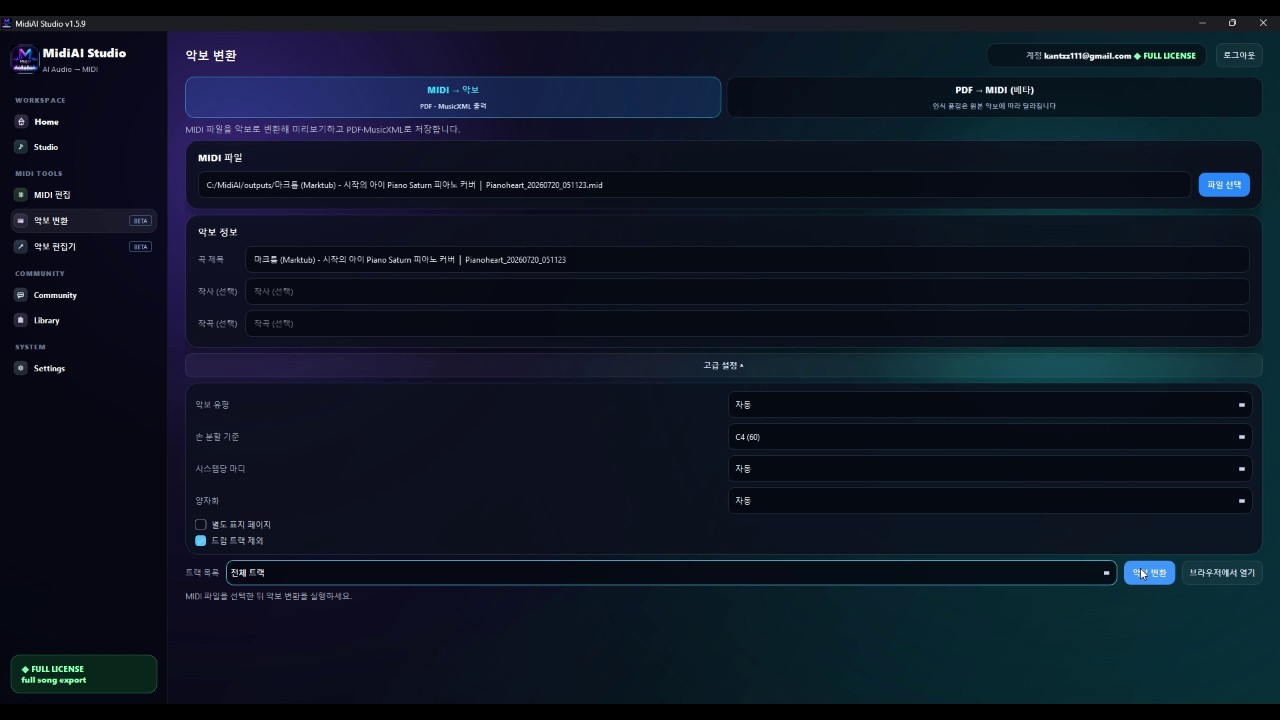
The problem MusicXML was invented to solve
MusicXML is an open, standardized file format for representing Western music notation in a way that many different programs can read and write. It captures the written score ? pitches, rhythms, beaming, lyrics, articulations, layout hints, and more ? as structured, text-based data.
It is best understood as an interchange format: its purpose is not to be the format you compose in, but the format you use to move a score from one program to another without losing its notational meaning.
What a MusicXML file actually stores inside
Under the hood, a MusicXML file is structured text that describes a score element by element: this part, this measure, this note with this pitch, duration, stem direction, and beam. Because it is a documented standard, any program that implements the standard can reconstruct the score from that description.
The crucial distinction MusicXML preserves is notation over performance. Where MIDI records what was played in time, MusicXML records what was written on the page, which is why it keeps things MIDI discards ? how notes are grouped visually, which syllable sits under which note, whether a mark is a staccato dot or an accent. Tools like MidiAI Studio export MusicXML precisely when that written detail is the deliverable.
Programs interact with MusicXML through import and export filters that translate between their own internal format and the shared standard. The translation is rarely perfect ? each program has features the standard handles imperfectly ? but it is good enough that a score can travel between applications and remain recognizably itself.
Notation data versus performance data
Moving a choral score from one program to another
Imagine a four-part choral piece in F major with two verses of lyrics, engraved by a colleague in one notation program, that you need to open in a different program to extract rehearsal parts. Without MusicXML this would mean re-entering the whole score by hand.
Your colleague exports MusicXML, you import it, and the four vocal parts arrive with their lyrics aligned, dynamics in place, and rehearsal letters intact. A few spacing details differ because the two programs have different house styles, but every note and word made the trip.
This is MusicXML doing exactly its job ? carrying the written score across a boundary that would otherwise have trapped it. The same mechanism is what lets a MidiAI Studio MusicXML export open cleanly in whatever notation program you prefer.

How programs read and write MusicXML
- Recognize when notation data is what you need. Reach for MusicXML when your goal involves the written page ? moving between notation programs, extracting parts, or archiving a score. If you only need playback, MIDI is the simpler choice.
- Export from the source program correctly. Use the highest MusicXML version the source supports so the richest possible detail travels. A current-version export carries elements older exports would drop.
- Import into your destination and check basics. Open the file and verify parts, lyrics, and structure first. Confirming the essentials made the trip is quicker than assuming and discovering a gap later.
- Reconcile house-style differences. Adjust spacing and layout to the destination program's conventions. The notes travel faithfully, but each program applies its own visual style you may want to refine.
- Keep the MusicXML as an archive. Save the MusicXML alongside any program-specific file. It is the portable, future-proof copy that any future program can still read.
The role of MusicXML in conversion workflows
- Use MusicXML whenever a score must cross between different notation programs.
- Export at the newest supported version to preserve the most detail.
- Verify lyrics and part structure immediately after importing.
- Expect and reconcile house-style layout differences between programs.
- Archive MusicXML as your program-independent master copy.
Compressed and uncompressed MusicXML files
- Using MusicXML for playback-only needs: You carry notation overhead unnecessarily when MIDI would have been simpler.
- Exporting at an outdated version: Old versions drop newer elements, silently losing detail in the transfer.
- Assuming a perfect import: Programs differ, so verify parts and lyrics rather than trusting a flawless trip.
- Ignoring house-style differences: Leaving default spacing from the source program can make the import look wrong.
- Treating MusicXML as disposable: Discarding it forfeits a portable, future-proof master for no benefit.
Versions and why they occasionally matter
The reason MusicXML matters more than most exchange formats is that music notation is unusually rich and unusually varied between programs. Each notation program grew its own internal representation, and without a common tongue the field would have fractured into incompatible islands. MusicXML is the lingua franca that keeps the ecosystem connected.
Its text-based, open nature is quietly important. Because a MusicXML file is human-readable structured text following a documented standard, it is not hostage to any company's survival or goodwill. A proprietary notation file can become unreadable when its program is discontinued; a MusicXML file remains legible as long as the standard is documented, which it openly is.
MusicXML as a long-term archival format
The notation-versus-performance distinction is the concept that most clarifies workflow choices. Once you see MusicXML as the format of the written page and MIDI as the format of the played performance, deciding which to export from MidiAI Studio becomes a simple question of whether you care about the look or the sound. The formats are not rivals but tools for different jobs.
For all its power, MusicXML is an interchange format, not a composing environment, and that framing keeps expectations right. You do not live in MusicXML; you pass through it. It is the bridge between programs and the archive that outlasts them, and understanding it as a bridge rather than a destination is what makes it genuinely useful.
FAQ
Straight answers for musicians researching what is MusicXML format. Expand any question?answers stay on this page so you do not bounce away mid-read.
What exactly does a MusicXML file contain?
It contains a structured, text-based description of a written score ? parts, measures, pitches, rhythms, beaming, lyrics, articulations, and layout hints. It captures how the music looks on the page, not just how it sounds.
Why was MusicXML created in the first place?
To let notation programs exchange scores. Before it, a score made in one program could not be opened in another without re-entry; MusicXML is the shared standard that made scores portable between applications.
How is MusicXML different from a MIDI file conceptually?
MusicXML represents the written notation, while MIDI represents a performance in time. MusicXML keeps visual and structural detail like beaming and lyrics that MIDI has no way to store.
Do MusicXML versions actually matter in practice?
Sometimes. Newer versions add elements older programs may not read, so exporting at a version both programs support prevents details from being dropped during transfer.
Is MusicXML a good format for long-term score archiving?
Yes, because it is an open, documented standard that many programs read, unlike a proprietary file tied to one application. Archiving MusicXML guards against being locked out of your own scores later.