 MidiAI Studio
Guide �� DAW integration
Bringing Converted MIDI Into Logic Pro
Logic Pro sits at an interesting crossroads for converted MIDI, blending a powerful collection of software instruments, a genuine score editor, and a linear timeline that suits composition. Where some DAWs lean toward loops and beats, Logic is equally at home developing a transcription into a fully-notated, orchestrated piece.
That breadth makes Logic especially useful for musicians who care about both sound and notation. A MidiAI Studio conversion can be voiced with Logic's rich instruments, refined in its piano roll, and simultaneously viewed and printed through its score editor ? a combination that suits composers and arrangers.
This guide covers using converted MIDI in Logic Pro specifically, from importing into the timeline to leveraging the score editor and software instruments. It assumes the general DAW workflow and highlights what Logic brings that is distinctive.
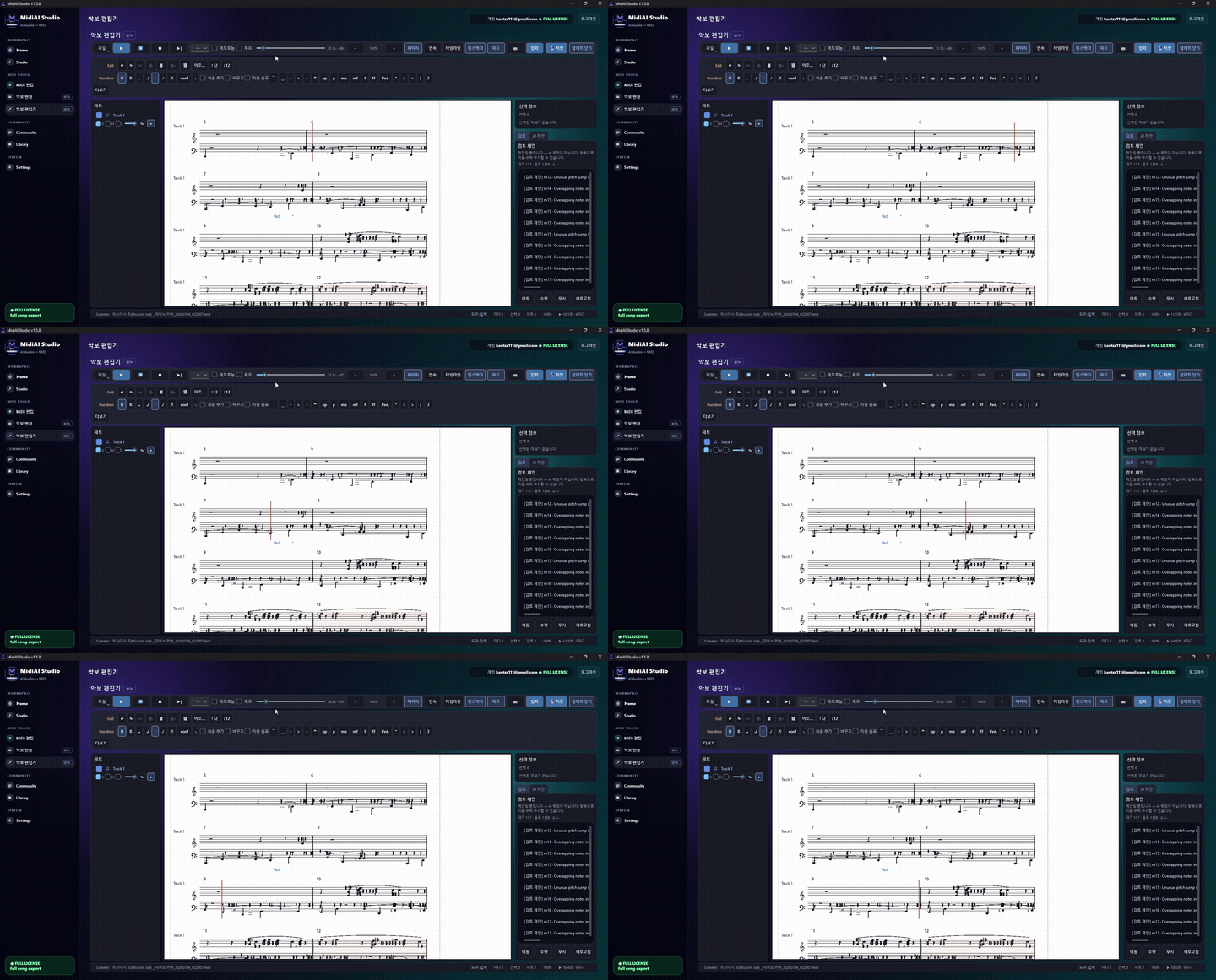
How Logic's tracks and regions hold MIDI
Using converted MIDI in Logic Pro means integrating transcribed note data into Logic's track-and-region timeline, where it can be voiced with software instruments, edited in the piano roll, and viewed or printed through the score editor. It suits composition and arrangement.
The defining Logic characteristic is its dual identity as both a production DAW and a notation-capable environment, letting converted MIDI serve sound-oriented and score-oriented goals within one program.
Importing converted MIDI into the timeline
In Logic, converted MIDI lives as regions on tracks along a linear timeline, which suits developing a transcription into a structured composition from start to finish. Each region can be edited in the piano roll, and MidiAI Studio output slots cleanly onto tracks where it can be arranged in the linear, composition-friendly way Logic encourages.
Logic's software instruments are a major strength, offering high-quality sampled and synthesized sounds that give converted parts convincing voices. This matters because a transcription is only as expressive as the instrument playing it, and Logic's library lets you voice a converted string line or piano part with real fidelity, then shape it with articulations.
Uniquely among mainstream DAWs, Logic includes a capable score editor, so converted MIDI can be viewed and printed as notation without leaving the program. This dual capability means a single conversion can drive both a produced audio track and a printed score, which is exactly what composers and arrangers often need from transcribed material.
Software instruments for converted parts
Developing a converted string quartet sketch in Logic
Suppose you converted a string quartet sketch in A major and want to both produce it and print parts in Logic Pro. You import the four MIDI parts as regions on four tracks along the timeline.
You assign Logic's sampled strings to each track, giving the sketch a convincing sound, and use articulations to add appropriate bowing and expression. In the piano roll you refine timing and dynamics, then switch to the score editor to view the same material as notation and prepare printed parts.
The result serves two masters at once: a produced audio mockup for listening and printed parts for the players, both derived from the single MidiAI Studio conversion. Logic's blend of instruments and notation made the dual deliverable natural.

Logic's score editor for notation from MIDI
- Import converted MIDI as timeline regions. Bring the transcription onto tracks as regions along Logic's linear timeline. This suits developing the material into a structured composition from beginning to end.
- Voice parts with software instruments. Assign Logic's high-quality software instruments to each converted track. Convincing instrument sounds are what make a transcription expressive rather than sterile.
- Refine in the piano roll. Edit timing, velocity, and notes in Logic's piano roll. This is where the conversion's cleanup and expression shaping happen.
- Use the score editor for notation. Switch to the score editor to view and print the converted MIDI as notation. Logic's notation capability lets one conversion yield both audio and printed parts.
- Add articulations and arrange. Apply instrument articulations and arrange the material along the timeline. Articulations and linear arrangement turn the conversion into a finished composition.
The piano roll and MIDI transform tools
- Develop converted material linearly on Logic's timeline for composition.
- Voice parts with Logic's software instruments for convincing sound.
- Do note and expression editing in the piano roll.
- Leverage the score editor when printed notation is a goal.
- Use articulations to add instrument-appropriate expression.
Articulations and expression with Logic instruments
- Leaving parts on basic sounds: Ignoring Logic's rich instruments leaves converted parts sounding thin and sterile.
- Overlooking the score editor: Missing Logic's notation capability forfeits a natural path to printed parts.
- Skipping articulations: Un-articulated instrument parts sound flat compared to expressive, articulated ones.
- Editing only in notation view: The piano roll offers finer control over timing and velocity than the score editor.
- Ignoring linear arrangement strengths: Not using the timeline for structure underuses Logic's composition-friendly design.
Arranging and comping converted material
Logic's dual identity as producer and notation tool is its defining advantage for converted material, because transcriptions often need to become both audio and score. A composer working from a MidiAI Studio conversion can mock up the sound and prepare the parts without juggling separate programs, which removes a friction point that would otherwise fragment the workflow.
The quality of Logic's instruments is more consequential than it first appears, because it directly shapes how a transcription is judged. The same converted string line sounds sketchy on a thin sound and convincing on Logic's sampled strings, and since the notes are identical, the instrument is carrying the difference. Investing in good voicing is investing in how the whole conversion is perceived.
Logic-specific advice for transcriptions
The score editor rewards a way of thinking that keeps notation and performance connected. Because edits in the piano roll and views in the score reflect the same underlying MIDI, you can move fluidly between shaping the sound and refining the printed page, treating them as two views of one musical object rather than separate tasks. This unity is where Logic's design pays off for composers.
Logic's linear, timeline-centric approach suits the arc of composition in a way loop-first tools do not always encourage. Developing a converted sketch from an introduction through to an ending along a timeline mirrors how a piece is actually conceived, so the tool supports long-form musical thinking. For transcribed material destined to become a full composition, that structural orientation is exactly right.
FAQ
Straight answers for musicians researching Logic Pro converted MIDI scores. Expand any question?answers stay on this page so you do not bounce away mid-read.
How does converted MIDI appear in Logic Pro?
It lives as regions on tracks along Logic's linear timeline, editable in the piano roll and viewable in the score editor. This structure suits developing a transcription into a full composition from start to finish.
Can I turn converted MIDI into printed sheet music in Logic Pro?
Yes ? Logic includes a capable score editor, so you can view and print converted MIDI as notation without leaving the program. This lets a single conversion drive both a produced track and printed parts.
Why do Logic's software instruments matter for converted parts?
Because a transcription is only as expressive as the instrument playing it, and Logic's high-quality sampled and synthesized sounds give converted parts convincing voices. Pairing them with articulations adds real expressive detail.
Should I edit converted MIDI in Logic's piano roll or score editor?
Use the piano roll for fine control over timing and velocity, and the score editor when you need to view or print notation. Each serves a different goal, so switch based on whether you are shaping sound or preparing a score.
What makes Logic Pro well suited to composing with converted MIDI?
Its blend of a linear timeline, rich software instruments, and a genuine score editor lets converted MIDI serve both sound and notation in one program. That dual capability suits composers and arrangers developing transcribed material.