 MidiAI Studio
Guide �� Audio file conversion
Getting Clean Piano MIDI From an MP3 Recording
Piano is unusually kind to transcription, and that kindness largely survives MP3 compression. The instrument's clear, percussive onsets and harmonically rich but orderly tones give an encoder less to mangle and a transcriber more to grab, which is why a piano MP3 often yields a better result than its bitrate would suggest.
That does not make it effortless. The sustain pedal, the piano's wide dynamic range, and the room it was recorded in all interact with compression in ways that shape the transcription. Knowing how they interact is the difference between a clean two-hand part and a cluttered one.
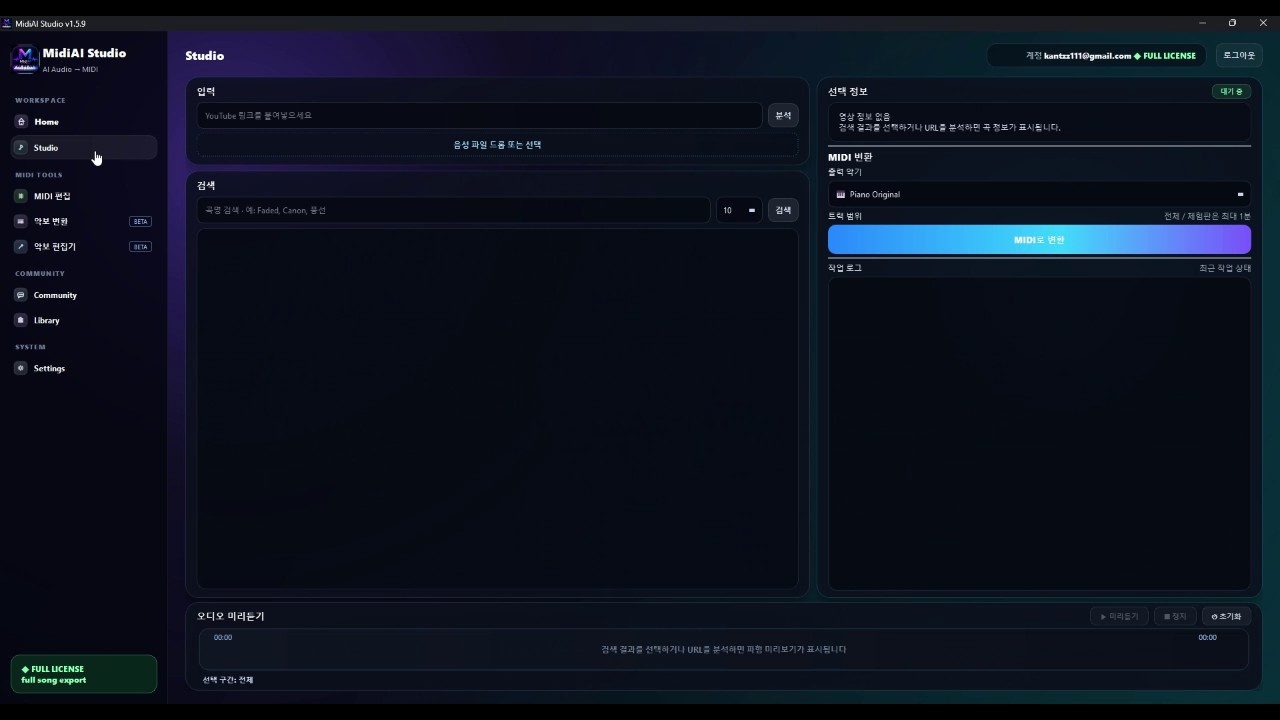
This guide zeroes in on piano specifically, so the advice is concrete rather than generic. Whether your file is a practice-room recording or a ripped album track, MidiAI Studio can turn a piano MP3 into an editable part ? and a few targeted habits make that part markedly cleaner.

Why piano survives MP3 compression better than most
Transcribing an MP3 piano recording to MIDI means recovering the pitches, timing, and dynamics of a piano performance from a lossily-compressed file. Because piano onsets are sharp and its texture is self-contained, this is one of the more reliable audio-to-MIDI tasks even from MP3.
The result is a two-hand piano part you can edit, transpose, and re-voice, reflecting the recorded performance including its pedaling and dynamics as far as the compression preserved them.
Pedal sustain meeting lossy encoding
A piano note begins with a distinct hammer strike, giving it a crisp onset that transcription locks onto easily, and MP3 compression preserves those attacks reasonably well because they are loud, brief, and perceptually important. That is the core reason piano weathers lossy encoding better than instruments with soft, gradual onsets.
The pedal is where compression and performance collide. Sustained notes ring and overlap, and lossy encoding slightly smears their decay, so MidiAI Studio must judge which lingering tones are genuine sustained notes and which are decay it should not treat as new attacks. Getting this right is the main quality lever for piano MP3s.
Dynamics survive better than you might fear. The piano's loud-to-soft range maps onto MIDI velocity, and because the strongest attacks compress least, the engine can estimate how hard each note was struck with useful accuracy ? enough to reproduce the performance's shape even from a compressed source.
Reading dynamics from a compressed piano recording
Lifting a Chopin nocturne from an old MP3 rip
Imagine an MP3 rip of a Chopin nocturne in E-flat major, recorded with generous pedal and a wide dynamic range, ripped years ago at 192 kbps. It is not pristine, but it is piano, which works in your favor.
MidiAI Studio captures the melody and the rolling left-hand accompaniment cleanly, tracking the velocity swells that give the nocturne its shape. The heavy pedaling produces a handful of over-long notes and one or two ghost tones from sustained chords, which you trim to their true durations.
After a short cleanup you have an editable two-hand part faithful to the performance, including its dynamics. The 192 kbps rip was more than good enough ? searching for a lossless version would have saved you only a few minutes of tidying.
Distinguishing struck notes from ringing ones
- Confirm the recording is genuinely solo piano. Make sure no other instrument bleeds into the track. Piano's transcription advantage disappears if a string pad or vocal shares the file, so verify the source is truly solo first.
- Transcribe with pedal-aware cleanup in mind. Expect ringing notes and plan to trim them. Knowing the pedal will produce over-long durations lets you tackle them systematically instead of chasing them one by one.
- Preserve velocity for dynamics. Keep the transcribed velocities rather than flattening them. The piano's dynamic shape carries much of the music's expression, and it survives compression well enough to keep.
- Split hands for editability. Separate the part into treble and bass hands. A two-track piano part is far easier to correct and re-voice than a single merged stream.
- Trim ghost and over-long notes. Shorten sustained notes to their real lengths and delete phantom tones from held chords. This pedal cleanup is the main manual work in a piano MP3 transcription.
Left-hand clarity in a compressed low register
- Trust piano MP3s at moderate bitrates more than you would other instruments.
- Trim pedal-lengthened notes to their played durations for an honest score.
- Keep dynamic contrast intact; it is much of what makes a piano transcription musical.
- Split hands before detailed editing so corrections stay organized.
- Only chase a lossless source when the MP3 shows audible dropouts or heavy artifacts.
Room acoustics baked into the MP3
- Assuming other instruments won't matter: Any bleed erases piano's clean-onset advantage and muddies the transcription.
- Flattening velocities: Discarding dynamic data strips the performance of the expression piano recordings carry well.
- Leaving pedal notes over-long: Untrimmed sustained notes overlap into an inaccurate, cluttered score.
- Keeping both hands merged: A single stream makes correcting inner voices and bass unnecessarily tedious.
- Over-hunting for lossless: Chasing a perfect source wastes time when a decent piano MP3 is already sufficient.
Turning a piano MP3 into an editable two-hand part
There is a satisfying reason piano is the transcriber's friend: its physics align with what compression keeps and what transcription needs. The hammer strike is a brief, high-energy event that perceptual coding treats as important, so the very onsets an engine relies on are the ones an encoder protects. Instrument and format happen to agree on what matters.
The pedal remains the interesting adversary. It is inseparable from expressive piano playing, yet it is precisely what blurs the boundary between one note and the next, and compression only softens that boundary further. Learning to hear a struck note through its neighbors' resonance is a skill that pays off in every piano transcription you make.
When a piano MP3 is good enough to skip the search for lossless
Dynamics are worth cherishing because they are where a transcription becomes a performance rather than a MIDI exercise. A flat, uniform-velocity rendering of a nocturne is technically correct and emotionally dead; preserving the velocity curve MidiAI Studio recovered is what keeps the music breathing after conversion.
The overarching lesson is confidence: piano MP3s deserve more of your trust than the format's reputation suggests. For the enormous body of piano music that exists only as compressed audio, this reliability means a vast repertoire is within reach of anyone willing to do a short pedal cleanup pass.
FAQ
Straight answers for musicians researching piano MP3 to MIDI transcription. Expand any question?answers stay on this page so you do not bounce away mid-read.
Why does piano transcribe well from MP3 when other instruments struggle?
Piano notes have sharp, loud onsets that compression preserves and transcription locks onto easily. Its self-contained texture also means fewer overlapping instruments to disentangle.
How do I handle heavy sustain pedal in a piano MP3 transcription?
Expect ringing notes to appear over-long or as phantom attacks, then trim them to their real durations. Distinguishing struck notes from decaying ones is the main cleanup for pedaled piano.
Will the dynamics of a piano recording survive conversion from MP3?
Largely yes ? the piano's loud-to-soft range maps to MIDI velocity, and strong attacks compress least, so the performance's dynamic shape comes through with useful accuracy.
Is a 192 kbps piano MP3 good enough to transcribe?
Often it is. Piano's forgiving onsets mean moderate bitrates transcribe well, so unless you hear dropouts or heavy artifacts, 192 kbps is usually sufficient without hunting for lossless.
Should I split a piano MP3 transcription into two hands?
Yes, separating treble and bass makes the part far easier to correct, re-voice, and study. A single merged stream turns simple edits into a hunt through overlapping notes.