 MidiAI Studio
Guide · YouTube & covers
Converting a YouTube Performance Into MIDI
The phrase YouTube to MIDI hides an important detail: you are never converting the video, only the audio underneath it. That audio has already been compressed for streaming, mixed with everything else in the recording, and possibly bathed in room reverb — and each of those facts shapes how well a transcription can work.
This is not a reason to avoid it. Turning a favorite performance into editable MIDI is one of the most satisfying things a curious musician can do, and it works remarkably well when the source cooperates. The trick is knowing which sources cooperate and how to help the ones that do not.
This guide is honest about the ceiling and generous with the technique. It explains what MidiAI Studio is actually listening to, why a lone piano recording transcribes so much better than a dense band mix, and the concrete moves that get you the cleanest MIDI a given video can yield.
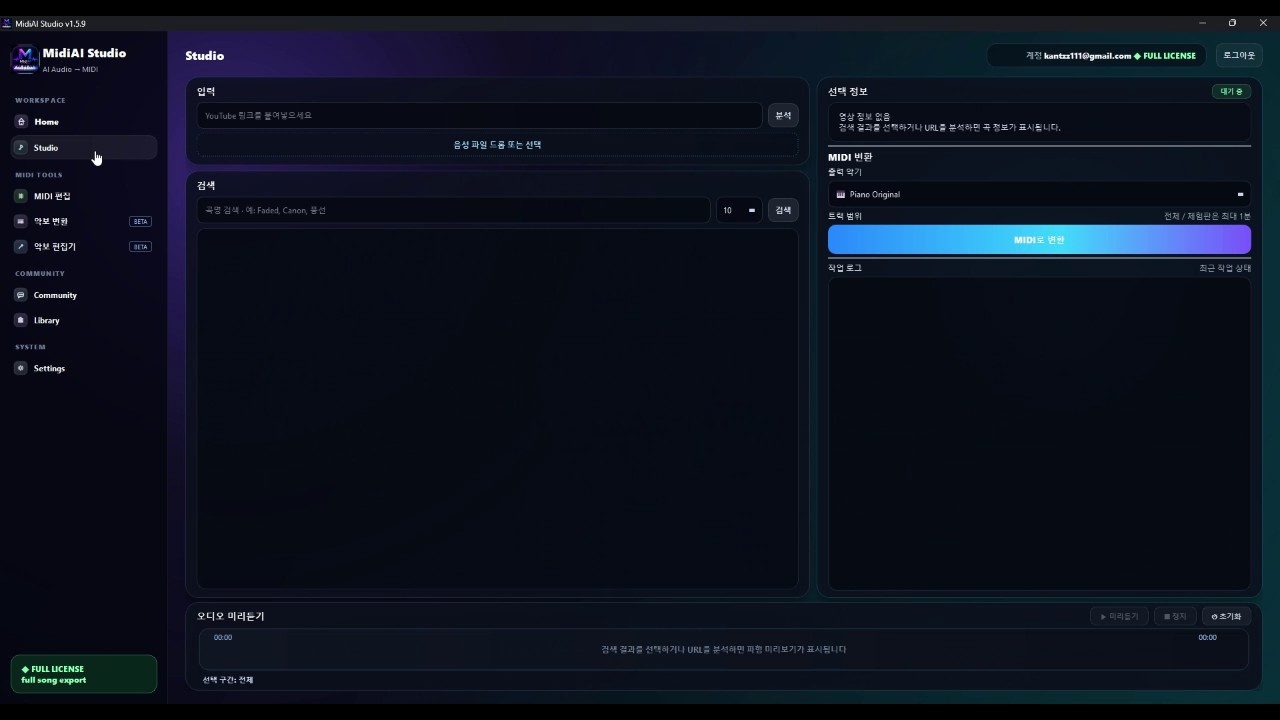
What you are really converting: audio, not video
Converting YouTube audio to MIDI means analyzing the sound of a performance and estimating the pitches, timings, and durations of the notes being played, then writing them as MIDI events. It is audio transcription applied to a streamed recording.
The essential constraint is that transcription works backward from a finished mix. Where PDF conversion reads an explicit score, audio transcription infers notes from overlapping vibrations, which is inherently harder — and harder still when the source is compressed and full of competing sounds.
How streaming compression shapes transcription quality
The engine analyzes the audio's frequency content over time, looking for the stable pitches that mark note onsets and tracking how long each sounds. In a clean recording those pitches stand out sharply; in a compressed stream, the high-frequency detail that helps distinguish instruments has been thinned to save bandwidth.
Texture is the deciding factor. A solo piano presents one instrument with clear onsets, so MidiAI Studio can follow its lines confidently, whereas a full band layers guitars, bass, drums, and vocals whose frequencies overlap and mask one another. The more instruments share the spectrum, the more the engine must disentangle before it can even name a note.
Timing adds its own wrinkle. A metronomic recording gives a clean tempo to lock onto, but a rubato solo performance stretches and compresses time expressively, so the engine must track a moving tempo rather than a fixed grid. Getting the note positions right in that setting is as much about following the performer as identifying pitches.
Why a solo piano video beats a full-band mix
Transcribing a solo piano cover versus a full-band live clip
Consider two YouTube videos of the same ballad. The first is a solo piano cover in F major, recorded close and clean at a steady 72 BPM. The second is a live band performance of the same tune with drums, bass, and a vocalist over the piano.
Fed to MidiAI Studio, the solo piano transcribes beautifully — the melody and left-hand accompaniment come through with clear onsets, needing only light cleanup of a few pedal-blurred notes. The band clip is a different story: the piano is buried under cymbals and vocals, and the transcription captures fragments rather than a coherent part.
The takeaway is to choose your source deliberately. When both exist, the solo cover is worth ten of the band clip, and if only the band version is available, isolating the piano first is the move that makes the transcription usable at all.

Separating an instrument before transcribing it
- Choose the cleanest available source. Prefer a solo, close-mic'd performance over a live band mix. The single biggest determinant of transcription quality is how exposed your target instrument is in the recording.
- Isolate your target instrument if the mix is busy. When the part you want is buried, separate it out before transcribing. Feeding the engine an isolated piano instead of a full mix dramatically improves what it can hear.
- Let tempo detection follow rubato. For expressive performances, allow a flexible tempo rather than forcing a fixed grid. Matching the engine's timing to the performer's keeps note positions honest.
- Transcribe, then prune ghost notes. Expect some spurious notes from reverb tails and bleed. Delete the obvious phantoms first so the real part stands clear before you refine it.
- Rebuild expression after cleanup. Once the notes are right, restore dynamics and phrasing the compression flattened. The transcription gives you accurate pitches; you give it back its life.
Handling reverb, room noise, and audience sound
- Favor official or high-bitrate uploads over low-quality re-encodes when a choice exists.
- Transcribe one clearly-audible instrument at a time rather than the whole mix at once.
- Use headphones to spot bleed and reverb artifacts the engine may render as ghost notes.
- Accept that dense sections need more manual repair than exposed solo passages.
- Keep a reference tab of the video open to check ambiguous passages by ear.
Tempo detection when the performer plays rubato
- Transcribing a full-band mix directly: Overlapping instruments mask each other, so the target part comes out fragmentary and frustrating.
- Forcing a fixed tempo on rubato: A rigid grid misplaces every expressive note in a performance that breathes.
- Trusting a low-bitrate re-upload: Heavy compression strips the detail transcription depends on, capping quality before you start.
- Leaving reverb ghost notes in: Un-pruned phantom notes clutter the part and hide the real melody underneath.
- Expecting a busy texture to transcribe cleanly: Dense arrangements simply carry more ambiguity; planning for cleanup avoids disappointment.
Turning detected notes into an editable MIDI part
It helps to understand that audio transcription is an act of inference, not measurement. The engine never sees a note; it sees a spectrum and reasons about what combination of notes could have produced it. That is why an exposed line is easy and a dense chord over drums is genuinely ambiguous even to expert human ears.
The compression built into streaming is a quiet antagonist. To save bandwidth, encoders discard sound they judge inaudible, but some of what they discard is exactly the fine spectral detail that distinguishes one instrument from another. You are transcribing a lossy shadow of the original performance, and that sets a hard ceiling no tool can exceed.
Setting realistic expectations for busy textures
This reframes source selection as the most powerful lever you have. Two minutes spent finding a cleaner upload or a solo cover will outperform any amount of post-transcription editing, because you cannot edit back information the recording never preserved. MidiAI Studio can only work with what reaches its ears.
None of this diminishes how useful the result is. A transcribed melody you can transpose, loop, and learn from is a genuine creative asset, and for exposed performances the accuracy is often startling. Calibrate your source, respect the ceiling, and YouTube becomes a vast, playable library.
FAQ
Straight answers for musicians researching YouTube piano cover to MIDI. Expand any question—answers stay on this page so you do not bounce away mid-read.
Does converting YouTube to MIDI use the video or just the sound?
Only the sound. The video frames are irrelevant to transcription; the engine analyzes the audio track's frequencies over time to estimate notes, so picture quality has no bearing on the result.
Why does a solo piano video convert so much better than a band video?
Because one exposed instrument has clear, unmasked onsets, while a band mixes many overlapping frequencies. The more instruments compete in the same spectral space, the harder each note is to isolate.
Can I convert a YouTube video where the piano is behind vocals and drums?
You can, but isolating the piano first gives far better results. Transcribing the raw mix tends to capture fragments, whereas an extracted piano part transcribes much more coherently.
How does the converter handle a performance that speeds up and slows down?
It tracks a moving tempo rather than assuming a fixed grid, following the performer's rubato so note positions stay accurate. Forcing a rigid tempo would misplace expressive timing.
Will streaming compression limit how accurate my MIDI can be?
Yes, to a degree. Compression thins the high-frequency detail that helps separate instruments, so a high-bitrate source sets a higher ceiling than a heavily re-encoded upload.